
How Can I Delete My Luggage Drop Account?
We’re sorry to see you go! If you’d like to delete your Luggage Drop account, the process is quick and straightforward — no need to contact support.
Here’s how to do it:
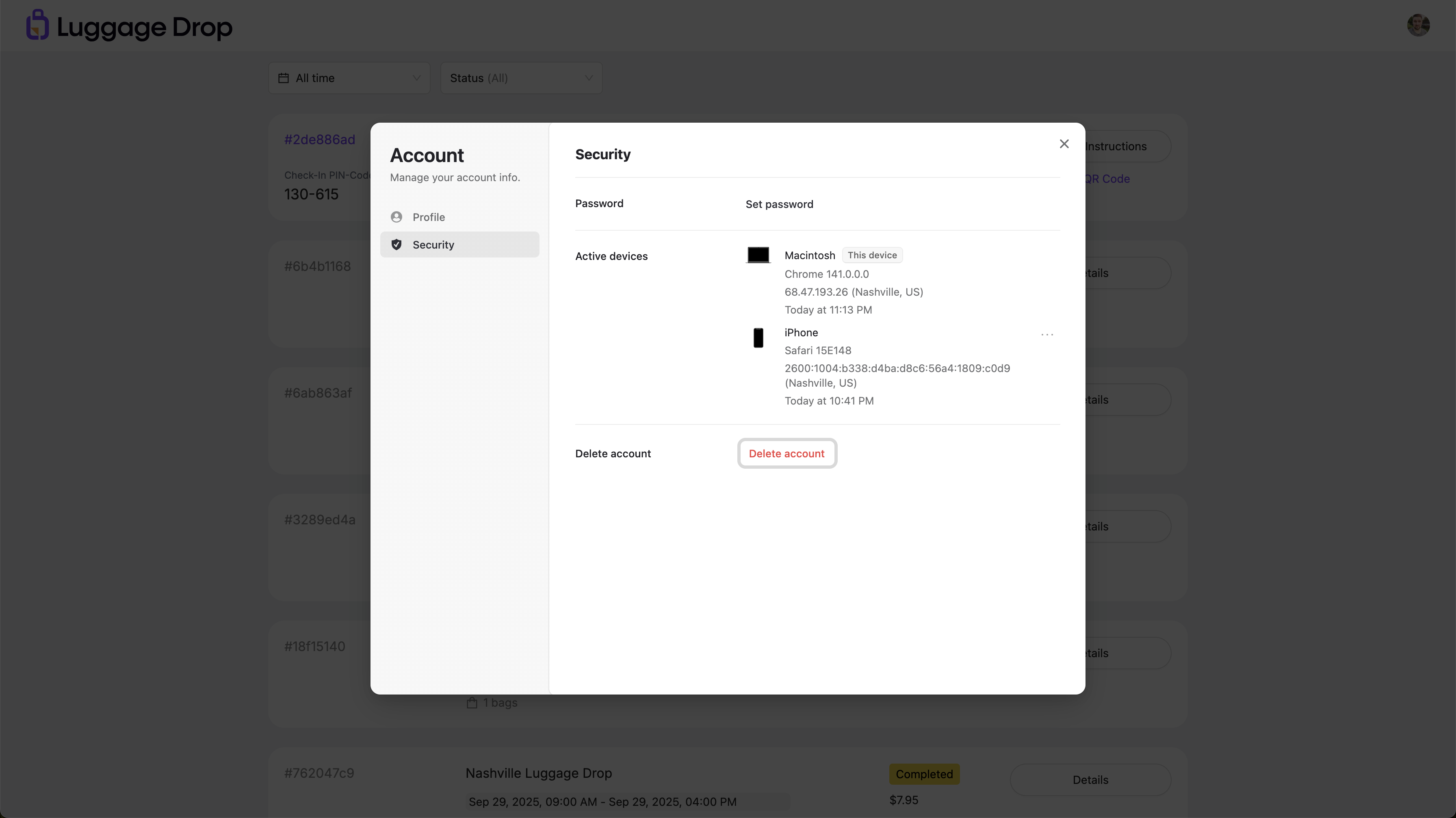
Step-by-Step: Deleting Your Account
Log in to your account at luggagedrop.com
Click your account avatar in the upper right-hand corner of the screen
Select “Security” from the dropdown menu
Scroll down and click “Delete Account”
Once confirmed, your account and all associated data will be permanently removed from the platform.
A Few Things to Know Before You Delete:
You must cancel or complete any active reservations before deletion
This action is permanent — your booking history, saved spots, and preferences will be erased
If you're a Host, make sure all active bookings are closed out first
If you’re deleting your account due to an issue or feedback, we’d love to hear from you — email us at hello@luggagedrop.com and we’ll do our best to help.